
Walk the site, tap each sign, done.
How a signage survey works in Signcensus: set up your sign types, upload the plan, walk the site and pin every sign from your phone, then filter, export and share.
Set up your sign types and fields
Start with the standard legend of sign types, each with its own colour, and add the fields your quotes need, such as size, material, illumination or fixing.
Add your sites and their plans
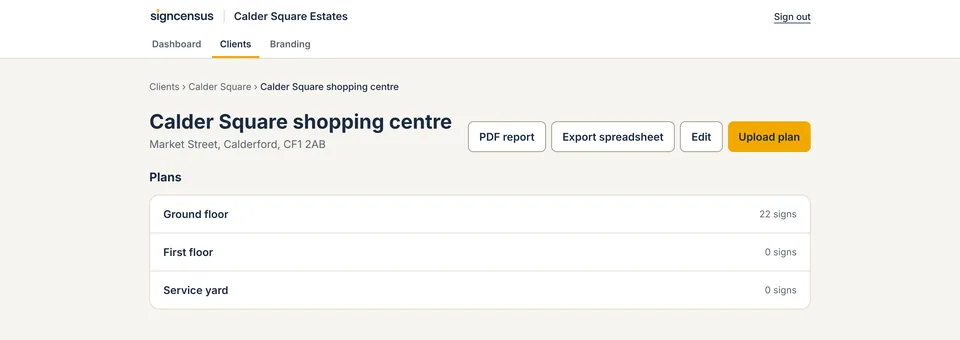
Add each site, grouped under your organisation, a region or a client, then upload a plan for each floor or area: a floor plan, site plan, fire plan photo or aerial image.
Walk the site and pin every sign
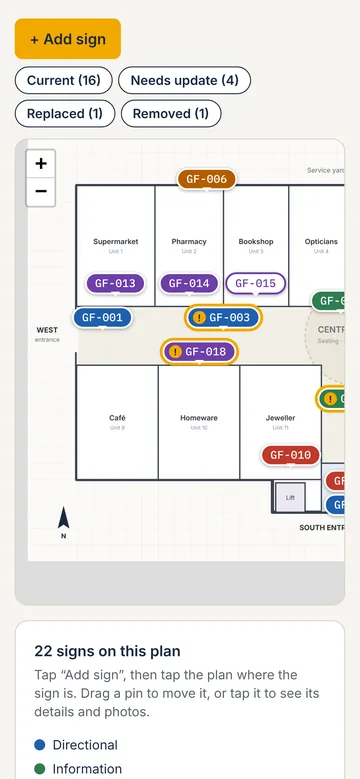
On your phone, tap the plan where each sign is. It gets the next number. Take photos with the camera, record the GPS position outdoors, and set the type, status and details while you're standing at the sign.
Review and filter back at the office
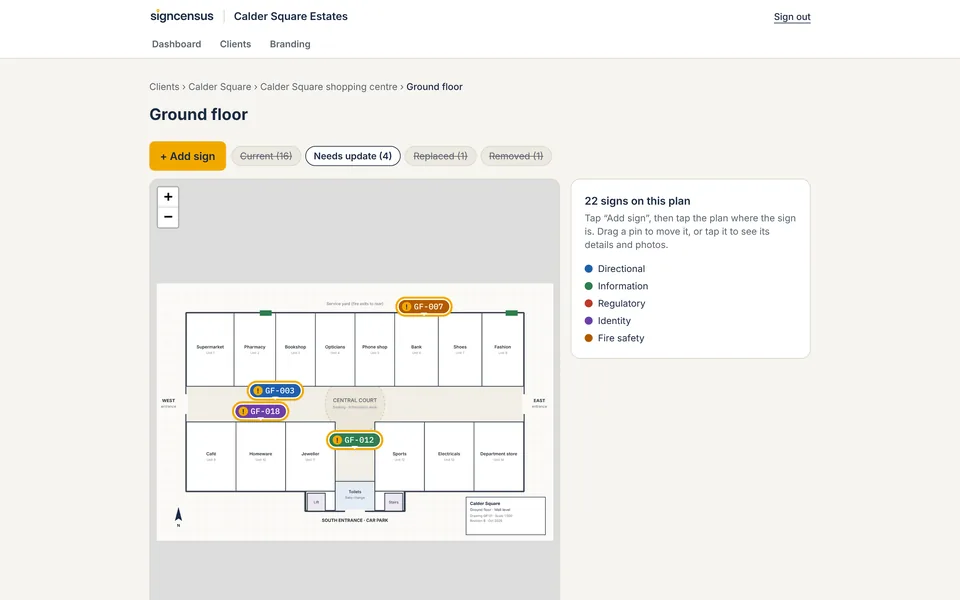
Everything you recorded is already there. Filter the site by status to see what's damaged, needs updating or should be removed, and check the totals.
Export and share
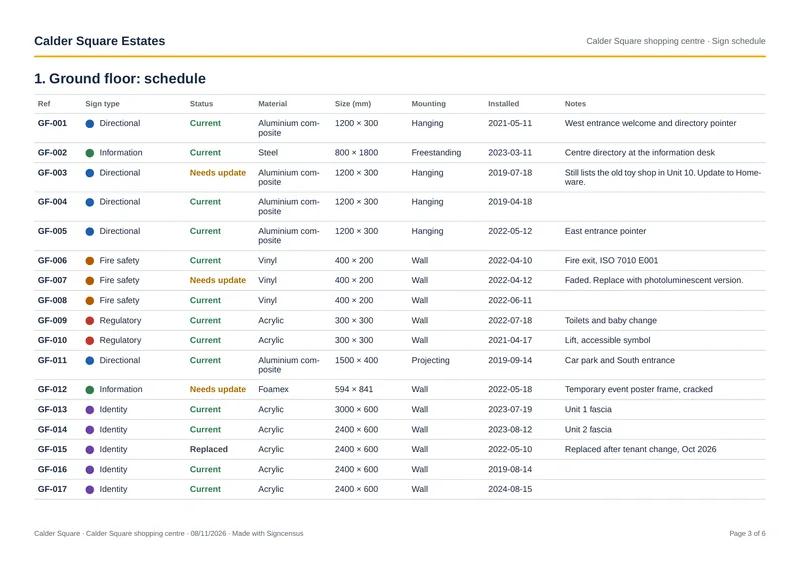
Download a PDF report or a spreadsheet for budgets, quotes and installation, and give colleagues, contractors or clients a free read-only login to the sites you share.
New to sign surveys? Read what a signage audit is and the survey checklist.
Survey your next site with Signcensus.
Upload a plan, walk the site and pin every sign from your phone. Free trial, no card needed.